New Discussion Forums
This website is a hobby, and one of the main motivations behind it is that I enjoy making tweaks and trying new features. In fact, I love trying new themes and widgets so much, I’ve even made dummy sites that have already been mothballed. On Amdall Gallery, I recently got to a point where there wasn’t much more I could change without a major upgrade. I finally decided to make the leap, and jumped into the world of WordPress plugins.
It actually made me sort of nervous; when you add a plugin to a WordPress site, the entire thing switches to a more advanced editing and settings interface. You get some new options, but it also breaks some previous functionality. All of my rss feeds disconnected, as did most of the shortcode I was using (the “random post” ones were big for me). Fortunately, you can download plugins to fix those issues. It also reset my front page, so I had to rebuild that. Unfortunately, there is one lost button that I haven’t figured out how to replace; the “subscribe via WordPress” widget is gone. I think people can still subscribe through the WordPress Reader (or just via email/social media), but I really liked that button in my sidebar.
So, the first major project I decided to tackle after fixing the broken stuff was adding a discussion forum! I tried several different plugins, such as bbPress, Simple Press, and Buddypress, but ultimately went with Asgaros. There are so many excellent choices, it was actually really difficult to decide. I picked the Asgaros plugin mostly because it looks clean, I like the options/settings, and it’s apparently very lightweight (according to the internet). I had a ton of fun exploring this stuff.
The forums are now live, so feel free to check them out if you’re interested (hit that link, or just mouse up to the top navigation bar, between Gallery and Alerts). Here’s a little tour of the main sections:


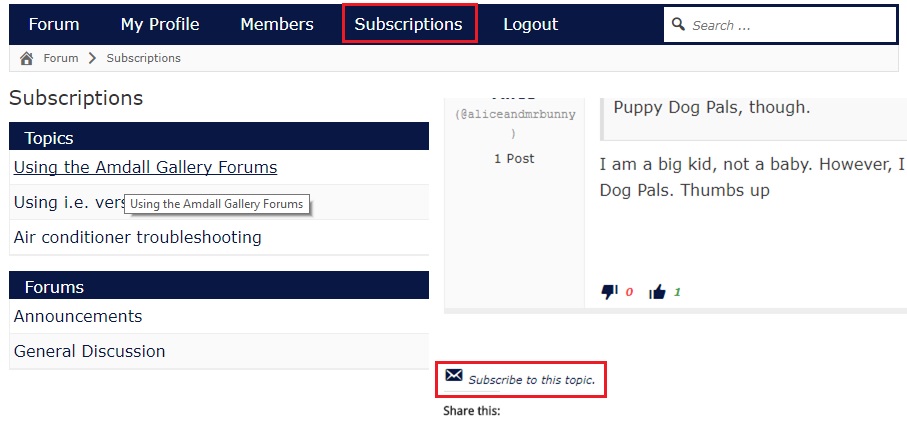
I’d say this forum actually turned out pretty well. Of course, I have to credit the team at Asgaros for actually building the functionality. I just had to set it up and get it running.
Also, here’s a .gif that goes through the registration process step by step. It’s pretty poor quality, but maybe it will help some folks:
